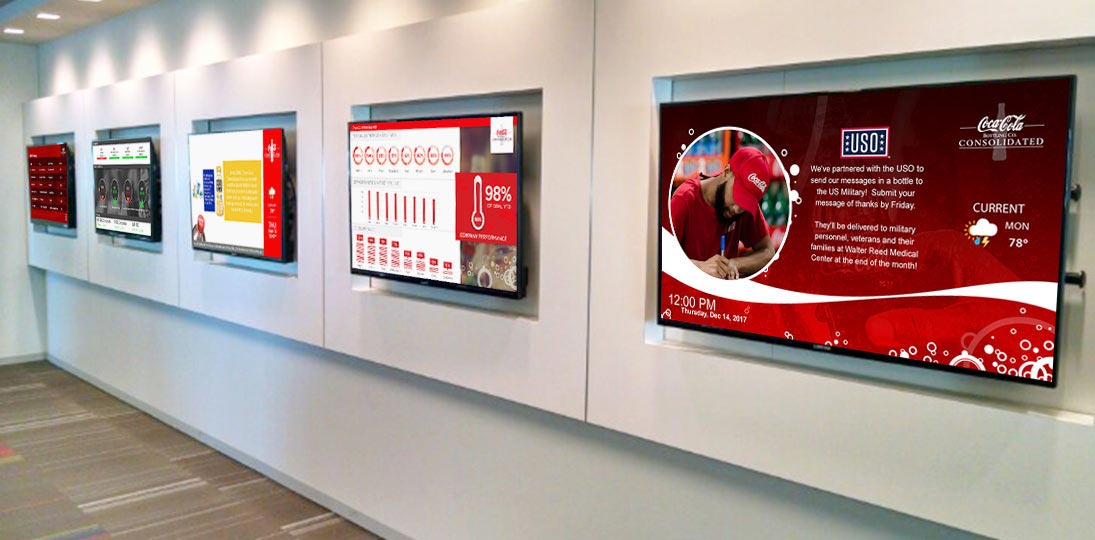
Is free digital signage really free? Not really. Yes, some companies give away their software, but what about the hardware? That can get quite expensive. And free software usually has extremely limited support or might even have none at all. While this might suffice for a small operation, it’s not enough for a larger organization. If that’s you, you need enterprise digital signage.
For your digital signage to be truly successful, you need freedom, flexibility and control. You also need a level of support that will help make your investment still viable, even as the way you use it changes over time.
Native vs. Web Digital Signage Software
The first thing you need to decide is whether to choose software that’s web-based, hosted on the cloud, or that sits on your servers locally. Back in 2013, over half of digital signage vendors offered native-only software, but that has dropped drastically in recent years. Today, most digital signage platforms are at least partly web based.
Back in the 20-teens, native applications generally had more powerful creation tools and often allowed for easier integration of other native apps you might be using, like Photoshop. Drag and drop functionality was better, and most IT departments thought native software was more secure. And while browser-based creation tools have improved drastically since then, it’s hard to beat the power of native content creation options.
Remember that browsers all started off as simple document viewers. Over time, more and more features have been added to allow them features that are similar to ones found in native apps. Some solutions, like AxisTV Signage Suite, have a native creation component with other functionality hoisted in the cloud.
When it comes to content management, there’s little or no difference between native or web. Calendars, tickers, data sources, playback tracking and the changing these elements can be easily managed through either interface. However, through a browser, users can manage content from anywhere via the web. Accessibility, particularly in the event of an emergency, gives the web-based UI a significant advantage.
Regardless of which one you choose, native or web, you need to make sure that the software you’re considering supports most common functionalities, like data feeds ( RSS, XML, FTP and others), popular file formats (MP4, MPEG, JPG and others), remote diagnostics, scalability (N-tier), user and role administration, layout management and content purge services.
When considering each type of software’s pros and cons, think about what you want to use it for and which one best helps you accomplish those goals. You want to not only be able to create (or import) content, and manage it with a minimum number of steps, but measure how effective your content is.
You should also think about the total cost of ownership, especially in the long run. Most traditional software licenses are known as SaaP, or Software-as-a-Product. You pay a fee for the entire software package (either software only or pre-imaged PC solution) and host the hardware on your local network. This means that responsibility for hardware purchasing and maintenance, local management of anti-virus and firewalls, local backups and IT staff requirements all falls on you.
Many web-based digital signage platforms simply charge a one-time fee, and many today use an SaaS model, where access to the software is a subscription, renewed each year. This means lower initial costs when first deploying the digital signage system in your facilities. Generally, you don’t need to purchase the hardware, which is another cost savings. Subscriptions also allow more people to contribute to the creation and management of content.
If you have a web-based content management system for your signage, people can contribute messages from anywhere, simply by logging into a URL. That means mobile employees and managers can still contribute to your communications, even if they’re not in the office. This has become a key consideration as more and more organizations are adopting a hybrid work model.
You can also extend the reach of your digital signage, so message playlists go out to employees’ mobile devices (smartphone, tablet, etc.) using a publisher, or you can simply put it on your intranet as a feed if you want more security. Since they’re already interacting with the office using their home computer or mobile device, it’ll have the same impact as displaying your messages on digital screens in house. This cannot be done if your software only runs on specific machines located in your facility.
One of the biggest advantages of cloud-based digital signage software is that updates and upgrades happen automatically, as soon as they’re released. With a native application, you have to send someone around to each machine that is running it and update each one separately.
Expert Help
Local AV/IT integrators, or resellers, can often help you make key decisions on which kind of digital signage software to buy for your environment and goals. They are knowledgeable about the wide variety of AV, network, software and hardware components that your organization will need to get your system up and running and can offer you a choice of manufacturers and tailor a complete solution to meet your needs and budget.
They may even be able to help you implement your digital signage system if you lack the staff to do that. They can also help educate stakeholders (AV, IT, communications, marketing, management, security, etc.) in a way that helps get your system up and running quickly and efficiently.
Even if you do have your own staff set up the system, partnering with a local reseller could still have advantages because it places less burden on your internal resources. Project management is key to successful deployment (and your staff all have their day jobs), so allowing an integrator to take on a supervisory role can save time and money.
A qualified AV/IT integrator can also troubleshoot the entire system for you. There are a lot of components to digital signage (displays, cabling, signal conversion, signal distribution, servers, etc.), and so there are lots of potential trouble points. They can offer a fast on-site response if you run into difficulties. In many cases, they can come to your facility the same day to collaborate with your staff to resolve the issue. Although you can call or email the various vendors for support of each component, nothing beats a real live person on the premises. And since they already have experience with all of your components working together as a system, they may be able to locate and fix the issue much faster than your team or any individual manufacturer.
Support and training are also things to keep in mind when shopping for digital signage software. Again, Company A might offer free software, but then you’re pretty much on your own. For enterprise-level deployments, this is probably not going to fit the bill.
Does the provider have FAQs, blogs, video, white papers and other advice available? Are there some training videos or a Learning Management System (LMS)? Good services and support are as important as the number and variety of features, especially when thinking about things in the long term. An enterprise product should be backed by enterprise support.
15 Advantages of Enterprise Digital Signage
Enterprise-level digital signage software can have many advantages over these so-called “free” versions. Whether you’re looking to deploy a brand-new system, or expand your existing one, there are 15 things to keep an eye out for.
1. Custom Layout Designs
Why let someone else dictate what goes on your screens? Instead of using low-quality free templates, use software that has extensive library of drag-n-drop widgets, WYSIWYG design options and easy importing tools that can help you create compelling screen layouts unique to your brand and audience. Instead of being limited by your software, you have ultimate creative freedom to place whatever you want on screen, wherever you want it. Animated backgrounds, opacity controls and professional typography tools ensure your digital signs are always stunning.

Some companies offer ready-made artwork packs and content kits, plug-n-play content subscriptions or custom design services.
2. Event Calendar Integration
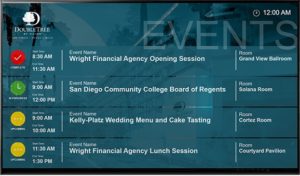
Showing your event schedules on digital signs is one of the easiest ways to satisfy your audience and improve efficiencies across your organization. Enterprise software might import data from popular calendar apps so you can show meeting and room schedules that are up-to-the-minute accurate. You can use whichever scheduling system you’re already using, including Microsoft Exchange, Exchange 365, EMS Platform Services, Google Calendar, CollegeNET and more.
3. Live Data Integration
Show real-time data from a variety of sources to keep your audience up to date by seamlessly pulling data feeds into a variety of formats: show calendar data as messages; import RSS feeds as tickers; and display webpages for full graphics and data visualizations.

4. Data-Triggered Content
Keep your audience updated in real-time with live data from a wide variety of sources. The software should seamlessly pull data into layouts, messages and tickers using our configurable drag-n-drop widgets. Show weather, RSS feeds, webpages, video streams and more. You can also map to data in Excel, XML and JSON sources for live data visualizations and KPI dashboards. And if the software offers conditional logic options, you can have the software decide what data and artwork to show when – all without any user intervention. Take the burden off your signage managers with these auto-updating options that only have to be set up once and then play all on their own.
5. AI-Powered Templates
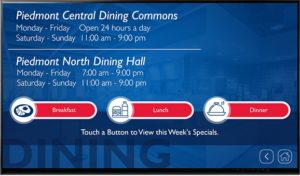
Utilizing pre-designed digital signage templates provides a massive head start over creating every piece of content from scratch, inherently offering superior consistency and significantly faster deployment. Templates eliminate the need for time-consuming design work, ensuring that visual elements are professional and uniform across all screens. When integrated with an AI Assistant, like the one offered in AxisTV Signage Suite, this efficiency is compounded: the system helps optimize the message copy for both length and immediate impact, instantly generating polished text variations. Choose from an extensive library of templates or create your own to ensure branding consistency.
6. Touchscreen Kiosking
People use touchscreens to get information every day, and interactivity lets you offer a deeper, more personalized signage experience. Using easy interactivity tools, you can include touch and mouse-click hot spots to move to other layouts or launch external content for full-screen kiosking. Show wayfinding maps, directories, donor boards, menu boards and more. You’re only limited by your imagination.
7. Desktop Preview and Playback
You shouldn’t have to wait until your designs are on the big screens to see them. Check to see if the software allows you to preview your messages and layouts with live playback of data sources and animations. If you have touchscreen elements, you should be able to test interactivity right on your desktop. View and experience exactly what your audience will see before you schedule it to go live to your digital signs.
8. Player Snapshots
This convenient feature provides a list of all media players currently on the system and shows a snapshot of what’s playing on each one. It’s a great way to review your layouts in action and check in on remote screens in off-site locations.
9. Active Directory Authentication
Take advantage of the enterprise solutions you already have. With single sign-on authentication through Active Directory, your users don’t have to keep up with login names and passwords. Authentication is taken care of, so they can just focus on building engaging content, and administrators don’t waste time resetting credentials. This offers users a faster, more secure, and more scalable authentication system and saves time for administrators by avoiding individual account configuration.
10. User Rights, Roles and Access Management
Enterprise digital signage lets you grant exactly the right level of privileges for each user by assigning either predefined roles or creating custom ones. Access to media players and playlists can be different for each department, each user, or even specific locations, and profiles can be quickly replicated as more people join in.
11. Organizations and Sub-Organizations
Why not shape your digital signage CMS to reflect the way your business is already organized? Group user accounts and players by department, teams, locations – whatever works best for your organization. You can assign specific access and privileges to each and set up approval workflows, so only appropriate content makes it onto your screens.
12. Playback Tracking & Analytics
Want to know the nitty gritty on your content stats? AxisTV can report the duration and number of plays for a selected message across all playlists and players. Simply choose your message and specify the date range for the report.
13. Alarms
Configure alarms to notify you of system issues. You can specify what email addresses should be notified when alarms become active, as well as which alarms become active and why. At any time, you can see all active alarms on all AxisTV devices connected to the content server.
14. CAP-Compliant Alert Triggers
Some digital signage software is built around Common Alerting Protocol (CAP) standards and easily integrates with third-party alerting suites like Alertus and Rave Mobile Safety. Streamlined workflows let you override scheduled content with a few clicks – replace all messages on the entire system for widespread alerts or choose specific players to override for local alerts. No matter what happens or where, you can send notifications and instructions to your audience in just seconds.
15. Room Sign Support
Why not extend your digital signage to meeting and conference areas? Publish event schedules, messages, alerts and other media to interactive room signs, so participants don’t miss important announcements and updates. Here at Visix, our Touch interactive room signs are powered by AxisTV Signage Suite, so you can fully customize the screen layout and choose which schedule data to display. You can even include interactive elements, just like on the big screens.
Summary
If you’re going to spend the money on an enterprise-level digital signage system, you should make sure that you’re getting everything you want and need. You know exactly what you’re getting and what the costs are up front, and you can easily expand the system in the future.
The number and variety of features makes this an optimal choice for any organization that wants an enterprise solution, and the services and support are unmatched. Even if your budget is limited, think about how much you’ll spend in time and money trying to fix a limited system.