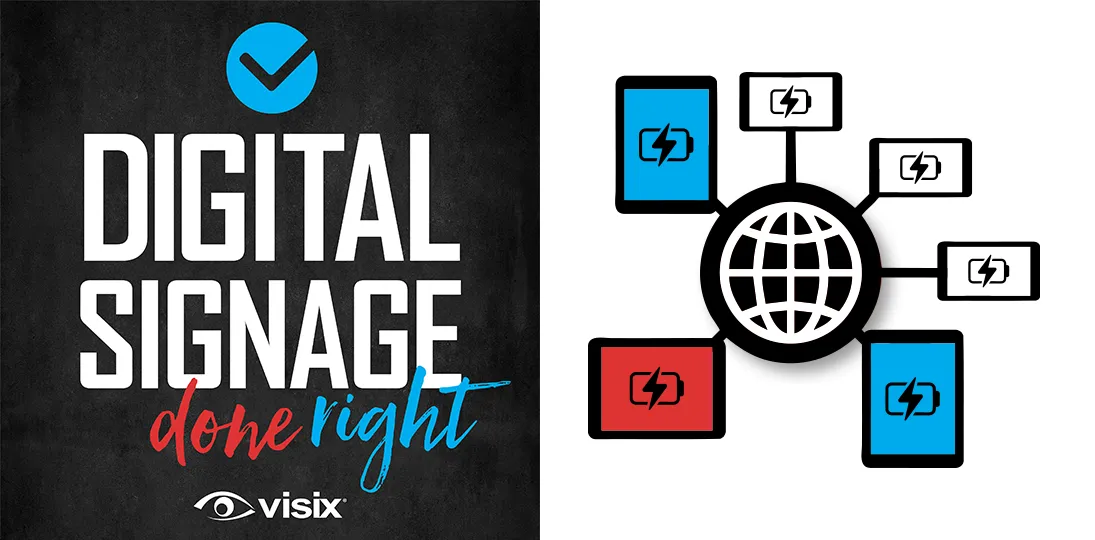
EPISODE 179 | Guest: Brandon Glassmaker, application support analyst for Visix
While ePaper hardware is simple (battery-powered, no cables), getting a large system running requires precise technical groundwork. This episode covers why IT professionals are vital for the initial setup of this enterprise software and focuses on the crucial back-end setup, including networking hurdles, essential port configuration, and preparing your event data source.
Whether you’re planning a small deployment or a massive rollout, you’ll discover how the process scales and why ePaper’s wireless, low-power nature makes it an increasingly dominant technology in the visual communications space.
- Understand essential networking needs and data source preparation for EPS.
- Hear a step-by-step rundown of the ePaper implementation process.
- Learn how ePaper’s battery power and RF communication simplify installation (no cables!).
- Discover that scalability mostly impacts time, not the difficulty of the deployment process.
- Explore the role of RF transmitters, their range, and environmental factors that affect signal strength.
Subscribe to this podcast: Podbean | Spotify | Apple Podcasts | YouTube | RSS
Get more information about ePaper desk and room signs.
Transcript
Derek DeWitt: Electronic paper signs, or EPS signs as we call them, are really starting to take off as the last episode of this podcast with Trey Hicks talked about in quite a bit of detail. But one thing we didn’t cover in that were more the technical aspects, especially when it comes to actually implementing an EPS system and so forth.
And so, I’m gonna talk today with Brandon Glassmaker. He is an application support analyst for Visix, and he knows a lot of the ins and outs about these ePaper signs and how they work kind of under the hood, if you will. Information I myself know pretty much next to nothing about. So, thanks for coming on, Brandon.
Brandon Glassmaker: Yeah, no problem. Derek. How’s it going today?
Derek DeWitt: Marvelous. I’d like to thank Brandon for talking to me today, and of course, everybody out there for listening to this episode of Digital Signage Done Right. I remind you that you can subscribe and share and all that stuff, and you can follow along with a transcript on the Visix website.
Okay, Brandon. So, we’ve already talked on here about many of the reasons for getting a bunch of EPS signs and sticking them up in your place. And we talked a little bit about how it all kinda works and how it all communicates with each other, but not very much. So, what light can you shed on those technical aspects of this whole process?
Brandon Glassmaker: The EPS system is a really nice system because even though it has a lot under the hood, the actual hardware and stuff like that is pretty simple. You don’t have a lot of things to set up. You don’t have a lot to worry about.
The signs themselves are battery powered, so you don’t have to worry about getting, you know, ethernet cables and stuff like that to them. And at the end of the day, they communicate wirelessly in their own protocols, so you don’t have a lot of buildup on your network.
Derek DeWitt: Yeah, it’s simple. That’s one of the charm points of the EPS.
Brandon Glassmaker: Yes, yes, yes. Because, you know, sometimes putting holes in your wall just isn’t an option. So, when you can just slap a sign on the wall, it’s really nice.
Derek DeWitt: Now, back at the end of September, I talked to Phil Epple, who’s a software support specialist for Visix, about how people can kind of prepare themselves if they buy Signage Suite, you know, a digital signage system, how they can kind of make implementation work smoothly. What are the things that people need to kinda work out in advance when they want to go all ePaper?
Brandon Glassmaker: So, some of the biggest hurdles we go across is mainly some networking hurdles and just getting your event source ready.
So, with the networking, the system does just talk across a couple of ports, but they’re very important and some of them aren’t standard. So, we really need to get that settled before we can get anything going just because the one thing that does talk on the network, the communicators, they do have certain rules that they have to follow and certain things they need to reach over your network. And if that can’t happen, then they just don’t get online. And that is usually the biggest hurdle is just networking, the general understanding of that.
Other than that, the event source is the next most important thing because that’s where all the information comes from, and we just need to have a good source for that set up. And we have our software that, of course, grabs all that information for you, but we do need to have the backend set up, so we can access that.
Derek DeWitt: Right. I assume that for someone who’s like an IT person, this will all be pretty obvious stuff. But sometimes, IT might buy the system and yet not be involved in this stage of things, and somebody who doesn’t really know what to do… I mean, is there a way for someone who isn’t part of IT to do all of this stuff, or do they really need to get their IT specialists involved in this stage of things?
Brandon Glassmaker: In certain aspects of this, you do need an IT professional. The networking, while not very hard, is still more advanced than just general networking. It does involve knowing that certain ports are open and that certain networks, especially if you have subnets and stuff like that, can access each other. Maintenance and doing stuff after it is real simple. It doesn’t take an IT professional to edit your templates and make sure things are running. But the initial setup – it is enterprise software. So, we do have a few different softwares to install and get talking together. So, it is best with an IT professional.
We, of course, are there to help you set everything up, but when we run into certain holdups with the local systems, we do need someone on hand that can help us out with that.
Derek DeWitt: Now, like, what are some of those holdups, what are some of those that you’ve encountered in the past and how have you circumvented them?
Brandon Glassmaker: Yeah, so a lot of the holdups come from things like antivirus. A lot of antivirus gets a little too protective on certain things. They can cause slow read on your hard drive and stuff like that. So, a lot of times some basic things we’ll do is just exclude the folder that this program is installed on. It all gets installed to one place on your system, so it’s real easy to exclude that from scans.
GPOs are another thing that kind of get in our way sometime, and that’s just because, again, a lot of these are set up for like your desktop environments and when you get them on a server environment, they don’t work as well. So, a lot of it is reacting to the environment we’re working with and working around the setups that are already in place to get things going.
Derek DeWitt: Is there any difference between, say, a small deployment of, I don’t know, let’s just say 10 signs, 15 signs as opposed to a really large one, like 150 or 200?
Brandon Glassmaker: You know, funny enough, the only thing that really changes there is time. All of the major things that go on, they don’t scale with that level. So, when you’re setting up your networking stuff, you don’t usually have to do the networking for all those things. You just have to do it for one.
A lot of the commands after that can be done in bulk, too. So, me adding 10 signs versus a hundred signs is really just the time it takes to get all 100 all associated and going, but at the end of the day it’s one command. Now, a few more may fail and we try again and get them on there due to interference and things like that when you try to add a bulk of things together; they’re all talking. But other than that, the scalability really just adds extra time. The difficulty not as much.
Derek DeWitt: Well, that’s nice to know. Maybe you can walk me through sort of how the implementation process works, what you do first, what happens next and so on.
Brandon Glassmaker: Yeah. So, the first thing we do in the implementation process is get the software installed. There is a few different moving parts with the software. There is the display data software and then there is also additional software like RabbitMQ that handles the inner talking between all of the systems. So, we have to get everything set up first, get everything installed, and then we have to get everything talking together.
This system does include working with a SQL database, so we have to get SQL up and running, and creating databases. But this is all stuff that we handle during the install and once it’s going, very little maintenance on it.
Derek DeWitt: So, how long does it normally take? Let’s say 50 signs if everything runs fairly smoothly?
Brandon Glassmaker: Yeah, if everything runs smoothly, we can usually get that done in about two to three hours.
Derek DeWitt: Oh, wow!
Brandon Glassmaker: Yeah, the install process, the programs, do take a few to get installed sometimes when you’re waiting, but you’re just waiting. Once you get everything installed, that’s a lot of the wait is just getting the software installed.
We have come up with a lot of processes that take a lot of things that used to take a lot of time, and it was usually a lot of busy work. It was just filling in a lot of blanks that you had the answers for. But we have made that easier. And so, we can import these at larger scales to make things like adding 50 signs or 100 signs or 200 signs, just as easy as adding one, as long as you have the right information.
Derek DeWitt: Right. And this kind of bulk import sort of feature, this is part of our software?
Brandon Glassmaker: It is part of our software, and we have built into it recently. So, we have that in both our software and in the display data software. Easy ways to import bulk information.
Derek DeWitt: There’s no difference in implementing, say, just regular old E Ink, ePaper signs that are just the gray background or the kind of brownish gray background and then the black ink, as opposed to those that also incorporate color E Inks like red and, as we’re about to come out with, ones that also have yellow, which can all be combined for a much wider color palette. There’s no difference really in these or is there some slight difference back there in the software?
Brandon Glassmaker: So, when you set that up, there is some differences in the templating, but it’s really just selecting the colors you want. So, when you’re picking your text, going from black to red to yellow to white. Other than that, it doesn’t take any more time beyond just your general template building at that.
Derek DeWitt: So, we get everything installed. We get everything talking to each other and then, what? We have to get the RF transmitters, obviously, up and running.
Brandon Glassmaker: Yep. That is the first thing we do. Once everything’s going, we make sure everything’s working and then we have to associate the RF transmitters. These are the only device that actually need an IP on your network, which is really nice. So, you might have 300 rooms, but you don’t have to figure out 300 IPs to give to these signs. You just have to get them to the RF transmitters.
Derek DeWitt: What kinda range do they have? What kinda reach?
Brandon Glassmaker: So, these generally will broadcast about 150 meters.
Derek DeWitt: Oh!
Brandon Glassmaker: Of course, that is saying, you know, perfect in the middle of a field with no obstruction, so all your building materials and things are still at play, so it might lower that.
Derek DeWitt: No cows there.
Brandon Glassmaker: Yeah, no cows, no cows. But you gotta watch out for things like elevators and, even, a lot of people don’t think about things like bathrooms. Bathrooms have pipes and pipes have water, and water does affect RF transmission.
So yeah, we work on the 900 MHz spectrum, which penetrates through a lot of stuff a lot more easy, as opposed to the 2.4 and the 5 MHz spectrum. So, it’s a really good one and it’s not in use a ton anymore. Maybe way back in the day you might’ve saw it on your cordless phones and things like that, but nowadays the only thing that most people have to worry about interfering with this in the 900 MHz spectrum are things like your automatic locks on doors or other short broadcasting equipment that would need to do stuff like that.
Derek DeWitt: Okay. So, we get that all sorted and then that’s it. We’re ready to start entering content.
Brandon Glassmaker: Yep! Once we get the communicators online, we associate the signs with them. They have very good visual response, so when I add a sign, I know it’s ready because it will show a check mark on the sign once it’s ready to go. And then I know I can assign my rooms and things like that. So, there’s a lot of good visual cues to help you along this process, too, to know that you’re proceeding correctly.
Derek DeWitt: And this applies to sort of the sign-sized ones let’s call them, things that are like a Kindle or even bigger, but also just as equally to the tiny little name plates.
Brandon Glassmaker: Yeah, exactly. Yep. No matter the size, they all work the same. We see a lot of good advancements in E Ink now recently too. There’s a lot more colors that are becoming available. The refresh is great. We’re seeing it a lot more in the advertising space, too. We’ve been seeing it on signs and buildings and things like that.
So, this technology is really taking off, and it’s really being improved on, too, from when, like you said, it starts with Kindles and E Ink readers and things like that that were just there for books.
Derek DeWitt: Yeah, it was super simple stuff. Recently, my wife and I were at the big trade show here in Europe, and we saw some amazing, large, really decent resolution full color ePaper signs that were, I guess it’s just combining a few basic colors like everything else does, but boy did they look great. The only problem was the refresh rate. When you have that many colors to go through, it took a long time to refresh. But even then, we’d gone the year before as well, and last year the refresh rate was, it was honestly too slow to be usable. This year, it had probably halved or maybe was even faster than that. So, I figure next year they’ll be even faster.
I mean, eventually we’re gonna get to the point where there’s really no difference in terms of quality for what’s being presented to your audience between ePaper signs and, say, LCD screens and room signs and things like this. They’re gonna be basically indistinguishable, except that ePaper, you know, is a hell of a lot easier to implement, it’s a lot cheaper to buy, it’s a lot cheaper to install and it’s a lot easier to maintain. So, this is why I think ePaper is gonna win that race in the long run.
Brandon Glassmaker: Yeah, it’s a great product. It’s great on power resources, too. You think about all those LCD screens and stuff, and they do take a bit of power to keep going sometimes. They are lower power than, of course, your old tube TVs, but they still take a bit more.
So, these running off of, you know, depending on the sign, you know, what is basically a watch battery, over to, you know, the bigger signs taking up more battery, because of course it does take a little more to refresh all the pixels on the screen. But it is just a great simple system that it really is taking off, and I really look forward to see the future of it.
Derek DeWitt: I think the future is bright. A little signage pun there. Thank you. Thank you.
Brandon Glassmaker: The biggest key point is like how easy this is to slap on a wall. Like that is, in my opinion, the biggest selling point on this is I don’t have to run drops and cables and keep track, all that stuff.
Derek DeWitt: One of the big selling points for this technology, which is really being adapted more and more by more and more companies and organizations is that it is much more affordable, both in the short term and in the long run, and it’s just super, super easy. Like you’d said, you don’t have to do anything, you just stick it on a wall, get these couple of things going. You don’t have to worry about cable drops; you don’t have to worry about any of this. As long as the actual sign itself, no matter how big or small it is, is within reach of the RF transmitter it’s associated with, I can kind of move it wherever I like, right?
Brandon Glassmaker: Yeah, yeah. As long as you’re within reach of the RF transmitters, these signs can be freely moved. The RF transmitters themselves can also be moved as long as they’re still on your network, it’s not that bad. Moving these things is real easy.
Derek DeWitt: What if I wanted to move Sign A from this one location to another location that’s being covered by a different communicator? Is it a big pain in the neck to just associate it with the new communicator instead?
Brandon Glassmaker: No. What’s great about these devices is they will roam to the best signal they find. So, if you do move them to another communicator, they will adopt themselves to that. Once added to the system, they will roam between any other communicator that is available to them in that system.
Derek DeWitt: Well, that’s almost sounds like they’re smart.
Brandon Glassmaker: Just a little. Just a little.
Derek DeWitt: And who knows what the future holds. Right now, it’s E Ink technology gains. Who knows what the future of this will be?
Well, it’s all pretty interesting stuff and the truth of the matter is after having now multiple conversations about ePaper, I’m kind of also on Team ePaper. I kind of think anybody out there, you should be using this stuff. I mean, no, probably don’t want to do a video wall out of it yet, but even that day is coming, and it’s probably coming faster than we think.
E Ink is, honestly, the future unless some brand new out-of-left-field technology shows up and makes it obsolete.
Brandon Glassmaker: Yeah, the E Ink system is great. Again, you can’t beat the power consumption and the portability of it. So, unless something can come around and beat that, too, it is an excellent product.
Derek DeWitt: Maybe something that beams the digital signage messages directly into your brain.
Brandon Glassmaker: Someday, someday.
Derek DeWitt: Right into the visual cortex. So, there you have it. It’s a short episode because the fact of the matter is there’s just not that much stuff to have to worry about when it comes to ePaper. It is simplicity itself.
I’d like to thank my guest today, Brandon Glassmaker, application support analyst for Visix for walking me through the few steps required to get a good ePaper deployment up and running.
Thanks Brandon. Super easy stuff, right?
Brandon Glassmaker: Yep. Super easy stuff. It was a pleasure. Derek. Anytime you wanna talk about ePaper, I can come on and give you some sound bites.
Derek DeWitt: Great. That’s exciting!
And again, I remind everybody out there that there is a transcript on the Visix website of the conversation that we just had.