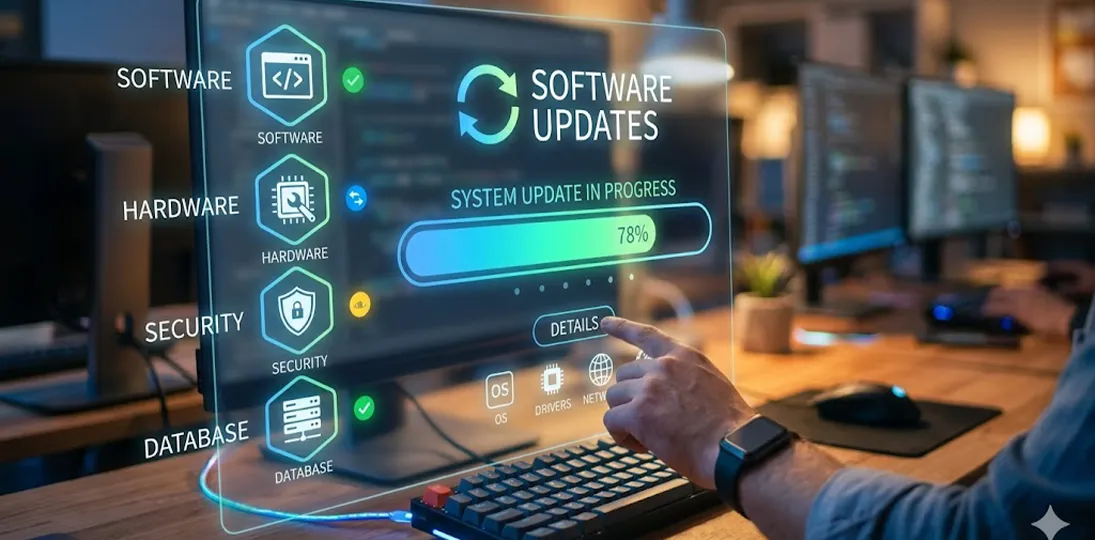
A digital signage upgrade is the process of moving your content management system, media players, and operating system to currently supported versions. In 2026, with Windows 10 now end-of-life, it has shifted from a nice-to-have to a security and compliance requirement.
The U.S. digital signage market and the technology underpinning enterprise communications is evolving faster than at any point in its history. The organizations getting real value out of their screens are the ones treating updates as an ongoing operational discipline rather than a once-in-a-blue-moon panic project.
This guide is for the IT leaders, facilities directors, and executives who are evaluating digital signage, whether you’re buying for the first time, replacing a legacy system, or trying to justify the budget upstairs. We’ll walk through the concrete advantages of staying current, the hardware realities you cannot afford to overlook, the risks of inaction in the post-Windows 10 era, and a practical framework for managing updates without disrupting communications.
The Real Stakes: This Isn’t Just About New Features
It is tempting to frame software updates as cosmetic: nicer transitions, a few new templates, perhaps a refreshed dashboard. That framing is dangerously outdated. Consider what has happened over the past 18 months alone:
- Microsoft ended support for Windows 10 on October 14, 2025. Any digital signage content manager or media player still running Windows 10 no longer receives security updates from Microsoft, and Extended Security Updates only get you until October 13, 2026, which is a stopgap, not a real solution. Yes, that’s for consumer versions, but even enterprise IT, and commercial/volume-licensing only buys you a few more years of support.
- According to the Verizon 2025 Data Breach Investigations Report, exploitation of software vulnerabilities as an initial attack vector has risen to roughly 20% of all breaches, with a trend of increasing every year.
- The Sophos State of Ransomware 2025 report identifies exploited vulnerabilities as the most common technical root cause of ransomware attacks, accounting for 32% of incidents. Comparitech tracked 3,627 ransomware attacks globally in the first half of 2025 alone, which was a 47% jump over the same period in 2024.
- The IBM Cost of a Data Breach Report 2025 places the global average cost of a data breach at $4.44 million. In the United States, that figure climbed to $10.22 million, which is an all-time high for any region.
- Industry analyses indicate that more than 60% of successful ransomware incidents originate from exploiting unpatched or end-of-life software.
A digital signage system is not, on the surface, a tempting target for a sophisticated attacker. But every Windows-based media player on your network is a connected endpoint. Every unpatched content manager is a possible lateral pivot into payroll, HR, scheduling, or operational systems. Auditors and regulators have caught on: frameworks including HIPAA, PCI-DSS, SOX, and NIST 800-53 now treat unsupported operating systems as a compliance failure in their own right, regardless of whether a breach has occurred.
If “we’ll get to the digital signage upgrade next fiscal year” is the current position, be aware that the risk math has changed. The cost of postponing a planned upgrade is now routinely measured in millions when a breach occurs through a forgotten or neglected endpoint.
Why Upgrade Digital Signage Software?
Setting aside security for a moment, the operational case for current software is just as strong. Most platform releases are driven by direct client requests and forward-looking research. Upgrading to the latest version typically unlocks new ways to import, create, manage, and deliver content, and it provides more varied methods for keeping an increasingly sophisticated audience engaged.
Even when your current version covers your day-to-day needs, you still benefit from:
- New features. Modules added to recent releases include refreshed design tools, conferencing integrations, automated content subscriptions, and richer data visualizations. These aren’t bells and whistles; they are competitive differentiators when you’re trying to compete for attention.
- Bug fixes. Every release closes issues identified in earlier versions. Running an old version means living with bugs that were resolved months or even years ago.
- System stability. Newer code is built on more recent libraries and frameworks, with better error handling and recovery.
- Support for current operating systems. This is the big one in 2026. Software vendors generally certify their products only against supported OS versions. If you skip enough releases, you may eventually find your CMS is incompatible with the only operating systems still receiving security patches.
- Easier future upgrades. Each release builds on the last. Jumping from a recent version is almost always smoother than jumping from a version several generations behind, especially when a major revision is involved.
- Faster technical support. Support teams are most fluent in the current and recent releases. If someone calls in with a problem on a version released five years ago, it can take much longer to resolve their issues, assuming the version they are using is still supported at all.
The rapid advancement of AI is fundamentally reshaping the requirements for digital signage, both under the hood and on the screen. On the hardware side, AI-driven features like real-time audience analytics, facial recognition, and dynamic content rendering demand significantly more processing power than traditional static displays — operators are increasingly looking at edge computing modules, dedicated NPUs (neural processing units), and higher-bandwidth connectivity just to keep pace.
On the software side, however, AI is proving to be a powerful equalizer. Tools that generate images, video, and copy on demand are dramatically lowering the barrier to creating compelling, fresh content — meaning a small business can now produce polished, targeted messaging that once required a full creative team. Together, these shifts mean that upgrading your digital signage infrastructure isn’t just about replacing aging screens; it’s about positioning your network to take full advantage of a content landscape that’s evolving faster than ever.
Most upgrades also bring new tools to make system maintenance and future upgrades easier, which translates into less downtime and lower IT labor costs. The trend line matters: organizations that update regularly spend dramatically less per upgrade than organizations that defer for years and then attempt a multi-version leap.
Do You Need to Upgrade Digital Signage Hardware Too?
Here is the friction point we see most often with prospective clients: they want the latest software, but they want to run it on hardware that was installed quite a while ago. Forcing aging components to run modern applications causes problems across the board, like slow or stuttering playback, degraded video performance, network instability, and outright crashes during transitions, crawls, and high-resolution video playback.
Picture trying to run Windows 11 on a Commodore 64. That’s a deliberately absurd example, but a Windows 7 or Windows 10 media player attempting to drive 4K content with modern codecs, dynamic data feeds, and real-time integrations is not far removed from it in principle. Hardware and software have to evolve together.
When you’re planning a software upgrade, the hardware variables that matter most include:
- Windows Server version on the content manager (if on-premise)
- Windows operating system on media players
- RAM
- Processor generation and clock speed
- Available drive space (and whether the drive is HDD or SSD)
- Motherboard age and chipset support
- Graphics capabilities, particularly for video walls or 4K deployments
- Network interface cards and their compatibility with current encryption standards
Check the published specs for the newest version of your signage software. If your existing hardware can be brought into compliance (more RAM, a fresh SSD, a driver update) that might be enough. If not, replacement is the more economical path in the long run, because trying to nurse failing hardware through another year of patched-together workarounds typically costs more in IT hours than a total refresh.
Hardware refreshes also unlock features that simply weren’t possible on older players: HDR video, hardware-accelerated 4K decoding, advanced touch capabilities, and modern wireless standards including Wi-Fi 6E and Wi-Fi 7. If you have any aspiration to add interactivity, room booking, or data dashboards in the next few years, the player generation matters.
For organizations that want to spread that cost out, Hardware as a Service (HaaS) subscriptions have become an attractive option. These give you enterprise-grade media players for a predictable monthly fee, with refresh cycles built into the agreement. A trade-in program is another option for clients with legacy components: support-subscription customers can typically upgrade hardware at a meaningfully reduced cost, and new units arrive with the latest software pre-installed.
What Actually Happens During an Upgrade?
A frequent source of hesitation is uncertainty about the process itself. Here is what to expect, based on how most enterprise digital signage updates run:
Frequency. Most platforms release substantive updates roughly two to four times a year. Updates almost always include new features, sometimes include new modules or player options, and always address bugs.
Cost. If you have an active software subscription, updates are usually included. This is the most cost-effective way to ensure you always have access to the latest version. Cloud-hosted subscriptions typically include CMS updates handled entirely by the vendor.
Content during the update. Scheduled content continues to play on the screens during the upgrade. Your audience sees no interruption. The content management system is unavailable during the update window, but cached content keeps the players running.
Time required. A typical update takes roughly two to three hours. The process starts with the content manager and then propagates to the media players. It’s usually best to schedule this during off hours, just in case any on-screen issues arise during the update.
Content migration. Migration is only required when you are physically replacing the content server hardware. For routine software updates, no migration is needed, though a backup is always recommended before applying any update.
Test environments. Any system with more than 10 media players should be deployed to a test environment first. This is non-negotiable for large deployments and saves enormous pain compared to discovering an integration conflict in production.
Help with the process. A good vendor will oversee as much or as little of the work as you want, from sending instructions or walking you through everything step-by-step to performing the entire update remotely on your behalf.
Migration: What Transfers and What Doesn’t
If a hardware refresh is part of the plan, content and configuration migration become part of the conversation. With most modern trade-in programs and HaaS arrangements, the vendor can transfer the essentials in a single remote session:
- All content — every piece of media, playlist, schedule, and template from the existing content manager moves to the new one.
- IP address assignments — both the content server and media player IP configurations can be preserved.
- Computer names — whether you accepted defaults or applied a custom naming scheme, those names come with the new hardware.
A few items must be reconfigured on the customer side, since they involve credentials or policies that no vendor should ever handle on your behalf:
- Domain membership — a domain administrator must enter a password to join the new device to the domain.
- Group policies — these aren’t transferred but can be reapplied to the new machines.
- User-installed third-party software — PowerPoint integrations, Adobe applications, VLC, and any custom integrations need to be reinstalled by your team.
The Planning Phase Nobody Wants to Do (But Everybody Should)
Before you initiate a single update, run a planning pass. This is the single highest-leverage activity in the entire upgrade cycle, and it is consistently the step that organizations neglect.
- Inventory everything. Catalog every content manager, every media player, every screen, and every integrated system (event calendars, room booking, data sources, emergency notification, building automation). Note operating system versions, software versions, and warranty status. Once you’ve done this, you’ll just need to update your database with new items or replacements, and note the dates that any items receive updates.
- Check current and recommended specs. Compare what you have to what the target software version requires. Identify any hardware that needs replacing or upgrading.
- Schedule around your operations. Updates should land during quiet periods: summer for educational institutions, holiday weeks for many corporate environments, off-hours for healthcare and retail. Microsoft popularized the idea of “Patch Tuesday” (updates happen on the second Tuesday of every month) and there is no reason your organization can’t adopt a similar rhythm for your signage.
- Communicate the schedule. Anyone who depends on the signage system (facilities, HR, marketing, executive communications, internal comms, even emergency response) needs to know when the CMS will be unavailable.
- Back up your content and configuration. Always. Even when the vendor’s process is highly reliable, the cost of a five-minute backup is trivial compared to the cost of starting over.
- Verify with your software provider before touching hardware. Vendors sometimes use specialized builds or proprietary code tied to specific hardware configurations. Confirm green-light status before you order new components or change drivers.
Don’t Forget the Supporting Cast
A digital signage system is more than its core software. When you update the CMS, audit the rest of the stack:
- Drivers. Keep video drivers especially current. They have an outsized effect on playback quality. Pull updates from the chipset or hardware manufacturer’s site rather than relying on Windows’ generic drivers.
- Physical components. Open up media player chassis and clean out the dust that’s accumulated in the fans. Inspect cabling, connectors, and HDMI runs. Wipe down interactive screens.
- Storage health. Defrag HDDs and run disk cleanup. Do not defrag SSDs: it does nothing useful and shortens the drive’s lifespan.
- Operating system. Apply all OS updates. If you’re on an end-of-life OS, that part is no longer optional. The HIPAA, PCI-DSS, and NIST implications alone make staying current a business requirement, not just an IT preference.
- Integrated applications. SharePoint sites, browsers used for kiosk content, event calendar plugins, data feed connectors – all of these should run current versions to avoid surprises.
- Firewalls. Confirm that firewall rules aren’t silently blocking automatic updates. This is one of the most common reasons systems silently fall out of date.
Refreshing Policies, Workflows, and Content
A major upgrade is also the best opportunity you’ll get to review the soft side of your deployment. Are your IT, system, and content policies still relevant? Can they be tightened up? Will they remain accurate after the update? Same questions for workflows, since new features generally mean new steps, and undocumented changes create training burdens that compound over time.
It’s also the perfect moment for a content refresh. Revisit recurring messages with fresh imagery and updated layouts. Rearrange playlists for better narrative flow. Launch longer-form campaigns that tell coherent stories rather than fire off isolated announcements. If you use templates, redesign the tired ones and add new options based on what your most active contributors say would actually save them time.
Evaluate your calls to action: are URLs or QR codes pulling more engagement? Which formats are generating measurable responses? Any message running without a call to action is wasted real estate.
New Capabilities Worth Considering
A current platform opens doors that were closed on older versions. Worth evaluating during or right after an upgrade:
- Cloud-hosted CMS. Industry surveys put cloud CMS adoption at roughly 78% versus 22% on-premise in 2026. The reasons are obvious: no server to maintain, updates managed by the vendor, easier multi-site management, and predictable subscription pricing.
- Expanded deployment. New locations, embedded playlists on intranets and collaboration platforms, and remote-employee reach are all easier with a modern platform.
- Interactivity. Touchscreens, wayfinding kiosks, and meeting room signs add value far beyond passive broadcast.
- Space management. Room booking, desk reservation, and ePaper signs are increasingly bundled with signage platforms, which makes them a natural fit for hybrid workplaces.
- Content subscriptions. Curated design feeds designed specifically for digital signs reduce internal content workload without sacrificing quality.
- Data integrations and dashboards. Real-time KPIs, safety metrics, production data, and HR information transform signs from broadcast channels into operational tools.
Whenever new features arrive, schedule training immediately. New capabilities that sit unused are a sunk cost and are a missed opportunity to give your communications team something new and exciting to work with.
Building an Ongoing Update Discipline
The single best thing an IT organization can do for its digital signage deployment is to stop treating updates as exceptional events. Build a cadence: a scheduled review every quarter, a planned major update at least once a year, a hardware refresh cycle that matches the manufacturer’s expected lifespan, and renewal of all relevant subscriptions before they lapse.
Organizations that operate on a regular cadence spend less per upgrade, encounter fewer surprises, and almost never face the kind of multi-year migration projects that derail entire IT roadmaps. They also tend to extract significantly more value from their digital signage investment, because the content team is working with current tools rather than wrestling with limitations that were solved two releases ago.
The Bottom Line
Digital signage is no longer a peripheral system. It’s a network-connected, increasingly intelligent communications platform that touches employee engagement, customer experience, operational visibility, emergency response, and brand presentation. Letting it drift out of date isn’t a cost savings – it’s a slow accumulation of security risk, compliance exposure, technical debt, and missed opportunity.
If your system is running on Windows 10 or older, the conversation has moved from “should we upgrade?” to “how quickly can we execute the migration?” If your hardware is more than five years old, you are paying for its inefficiency every day, even if the line item never appears on a balance sheet. And if you have not had a serious conversation with your signage vendor about your current version and roadmap in the past 12 months, that conversation is overdue.
The good news: a well-planned upgrade is rarely the disruption people fear. Content continues to play. Most migrations take hours, not days. Subscription-based support and HaaS arrangements make budgeting predictable. And the moment you are running current software on current hardware, the entire conversation shifts from “keeping the lights on” to “what could we do with this platform that we couldn’t do before?”
That is where the real return on your digital signage investment lives. Don’t leave it on the table.
Key Takeaways
- Windows 10 reached end of support on October 14, 2025. Some Windows 10 IoT Enterprise LTSC licenses have longer “shelf lives” that normal installations, but any digital signage component still running basic Windows 10 is now an unpatched, increasingly non-compliant endpoint on your network. Extended Security Updates only buy time until October 13, 2026.
- Unpatched software is now the most common technical root cause of ransomware attacks. This is behind roughly 32% of attacks, and software vulnerability exploitation accounts for roughly 20% of all breaches, a 34% increase year over year.
- The cost of a breach is no longer hypothetical. $4.44 million globally on average in 2025, and $10.22 million in the United States, an all-time regional high. Digital signage endpoints are part of your attack surface.
- Software upgrades deliver more than features. They bring bug fixes, system stability, support for current operating systems, faster technical support, and smoother future upgrades – benefits that compound the longer you stay current.
- Hardware has to evolve with software. Aging media players cause sluggish playback, video stuttering, and outright failures when forced to run modern applications. Audit RAM, processors, storage, drive type, and graphics capability against published specs.
- Most updates are far less disruptive than you’d expect. A typical update takes two to three hours, scheduled content keeps playing during the process, and you can usually jump straight from an old version to the current release without installing interim versions.
- Modernize the business model, not just the technology. Cloud-hosted CMS (now ~78% of deployments), Hardware as a Service subscriptions, trade-in programs, content subscriptions, and integrated space management can shift digital signage from a periodic capital project into a predictable, scalable operational platform.