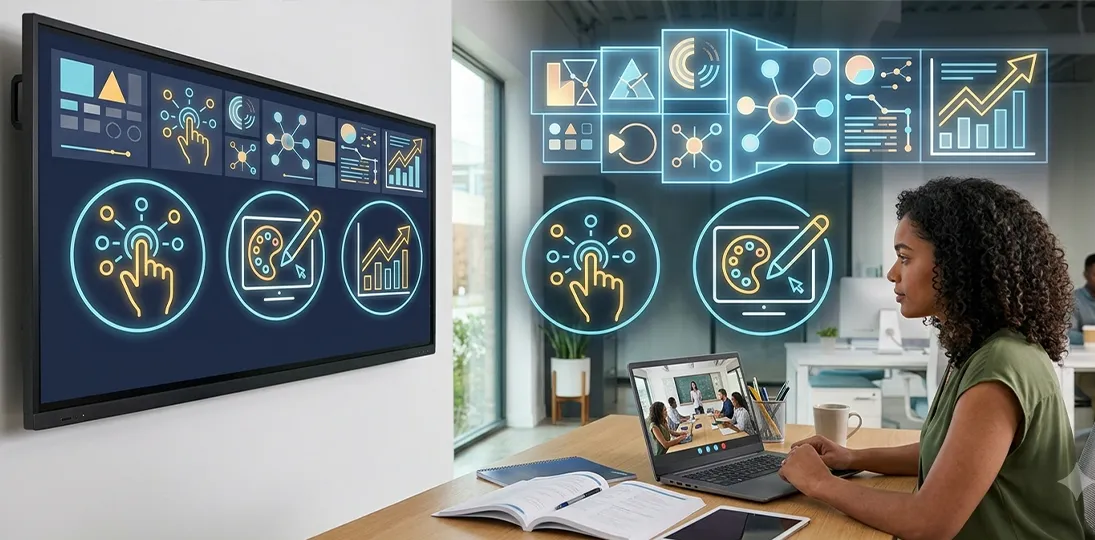
Digital signage software is built to be intuitive, but intuitive is not the same as instant. A content management system is still a business system, with its own terminology, workflows, and features that most people never discover on their own. Organizations that invest in digital signage software training see faster adoption, fewer support tickets, and screens that actually reflect what the technology can do, rather than a handful of imported PowerPoint slides on a loop.
This guide covers why user training matters, proven best practices for onboarding new users, how often training should be refreshed, and how to get the most out of a learning management system (LMS) once your team is up and running.
Why Digital Signage Software Training Matters
Digital signage sits at the intersection of two systems: technology and communications. Getting the technical side right means understanding installation, configuration, and day-to-day administration. Getting the communications side right means knowing what to put on screen, who is responsible for it, and how to measure whether it is working. Training is what connects the two.
Without it, teams tend to underuse what they have bought. New users import static slides instead of using dynamic, data-driven layouts. Admins build ten-step workarounds for tasks that should take three. And when something breaks or a deadline looms, the team ends up leaning on support calls instead of the training they already paid for.
The upside of getting training right shows up in a few consistent ways:
- Faster, fuller adoption. Trained users explore more of the platform’s features instead of sticking to the one workflow that got them started, which means the system earns its keep.
- Independent problem-solving. Users who know where to find answers don’t have to wait on a colleague or file a support ticket for routine tasks, which matters even more for distributed and remote teams.
- Better content, faster. Understanding what the software’s design tools and widgets can do – beyond a static image or imported slide – leads to more engaging, more effective messaging.
- Higher job satisfaction. Content creators who understand their tools find the work easier and less frustrating, instead of feeling like they’re fighting the system every time they log in.
- Continuity. Knowledge that lives in a shared training system, rather than in one person’s head, survives vacations, sick days, and staff turnover.
Industry research on software adoption backs this up: organizations consistently report that trained users use more of a platform’s features, work more independently, and get more value from their investment than those who are never formally onboarded. The pattern holds across Visix’s own client experience as much as it does industry-wide.
Best Practices for Training New Digital Signage Users
Onboarding a new user, whether it is a single content manager or an entire communications team, goes more smoothly with a deliberate approach. These practices apply whether training is delivered live, on demand, or by a coworker showing someone the ropes.
Start With What’s Familiar
Ease new users in by connecting new tools to things they already know. Showing them how to import content they have already created in familiar applications is a gentler on-ramp than starting cold with unfamiliar terminology and menus.
Introduce Concepts One at a Time
There is a lot to absorb in any content management system. Group related ideas into concept blocks – for example, cover every way to import content before moving on to building an AI message from scratch – rather than jumping between unrelated features.
Use Real-World Examples
Training sticks better when it mirrors the trainee’s actual environment. If you’re training bank staff, build a sample promotion for a checking account. If you’re training a university team, schedule content on the class days they already work with. Seeing a realistic example makes the software feel usable rather than abstract.
Keep the Mood Light
A little playfulness – a silly practice message about a pizza party on the moon, for instance – takes the pressure off and makes it easier for people to experiment without fear of getting it wrong.
Watch the Room
New software can be genuinely stressful, especially for someone who was pulled away from other work to attend training. Watch for signs of overload and slow down, simplify, or take a break when you see them show signs of stress or fatique.
Pace It and Follow Up
Speak slowly, break long sessions into digestible chunks, and build in breaks for anything over 90 minutes. Then follow up a few weeks later to see what stuck and what did not – training is rarely a one-and-done event.
Why Training Needs to Be Refreshed, Not Just Delivered Once
A common assumption is that once someone has been trained, they know the software for good. In practice, skills fade the same way any new information does. Psychologist Hermann Ebbinghaus mapped this out over a century ago with two related ideas: the forgetting curve and the spacing effect.
The Forgetting Curve and the Spacing Effect
The forgetting curve shows that, without reinforcement, most people lose a large share of what they learned within about a week. Software that’s used daily gets reinforced simply through repetition; features used rarely are the first to be forgotten. The spacing effect is the counterbalance: information reviewed periodically over time is retained far longer than information crammed once and never revisited. Each time a skill is reinforced, it takes longer to fade the next time.
In practice, that means a single onboarding session is rarely enough on its own. Regular refreshers are what actually make training durable.
When to Schedule a Refresher
- New features ship. Software is updated continually, and a five-step workaround from last year may now take one click.
- People change roles. Every time someone joins, leaves, or takes over content duties, that’s a natural moment to bring them up to speed.
- New content sources appear. Adding a new data source, health and wellness feed, or a social media wall introduces new workflows worth reviewing.
- You’ve run a content audit. If a review or audience survey – part of a solid monthly content plan – turns up gaps, a short refresher on design standards or calls to action can close them quickly.
- Emergency messaging is in play. Anyone responsible for alerting on a digital signage network needs to know the workflow well enough to react in seconds, not minutes.
Getting the Most from Visix Training
Visix pairs live, instructor-led sessions with an always-on video library, so training is not something that happens once and then stops. The live sessions build the mental model – how the pieces fit together, where to start, what to ask. The on-demand library is where that knowledge gets reinforced over time, which is exactly what counters the forgetting curve described above: a two-minute refresher on a widget nobody has touched since onboarding, without waiting for a new class or filing a support ticket.
That combination is also what makes training scale across a team. Administrators, content schedulers, designers, and approvers all need different depth on different features, and short, role-specific lessons serve that better than one long, one-size-fits-all session. New videos and guides are added as features ship, so the library stays current instead of going stale after the first year.
For the full breakdown of what’s included, who can access it, and how to get started, see the Software Training page.
Put Training to Work
Digital signage is only as effective as the people running it. Structured onboarding, regular refreshers, and an always-available LMS turn a capable platform into one your whole team actually knows how to use – which shows up directly in how polished, current, and engaging your screens are.
Frequently Asked Questions
Do I really need training if the software is easy to use?
Ease of use and full adoption are different things. Most teams that skip training end up using a small fraction of the platform’s capability – often just importing static slides – and miss the workflows that would save them time and improve their messaging.
How often should digital signage training be refreshed?
Refresh training whenever the software updates, whenever staff responsible for content change, and periodically regardless, since unused skills fade within weeks without reinforcement.
Who should take digital signage training?
Anyone who touches the system: system administrators, content schedulers, designers, and managers each need different depth on different features, which is why short, role-specific video modules work better than one long, one-size-fits-all class.
What’s included in a Visix training subscription?
A subscription includes live, instructor-led classes and twelve months of unlimited team access to the online LMS, including 250+ videos, quick start guides, and quizzes. See the full breakdown on the Software Training page.
Can new team members be added to an existing training subscription?
Yes. A Visix training subscription covers an organization’s entire team for the year, so new hires, promotions, and role changes can be added at any time without purchasing separate seats.